- HOME
- HR insights
- Top 9 employee timesheet software solutions for 2026
Top 9 employee timesheet software solutions for 2026
- Last Updated : November 10, 2026
- 109 Views
- 8 Min Read

Tracking employee work hours can become difficult when organizations rely on spreadsheets, paper timesheets, or disconnected time-tracking tools. Employees may need to record hours worked, managers need to review and approve them, and HR and payroll teams need accurate data for processing pay.
An employee timesheet system can bring these activities into one place. Employees can record the time they spend working, and managers can review submissions, approve hours, and monitor time spent across projects, tasks, or jobs. Depending on the platform, timesheet data can also be connected with payroll, attendance, scheduling, project management, and billing.
Modern employee timesheet software can support different methods of recording time. Employees may be able to enter their hours manually, use a timer, clock in and out through a mobile or web application, or record time against specific projects and tasks.
Here are nine HR platforms that offer employee timesheet or time-tracking capabilities.
Zoho People
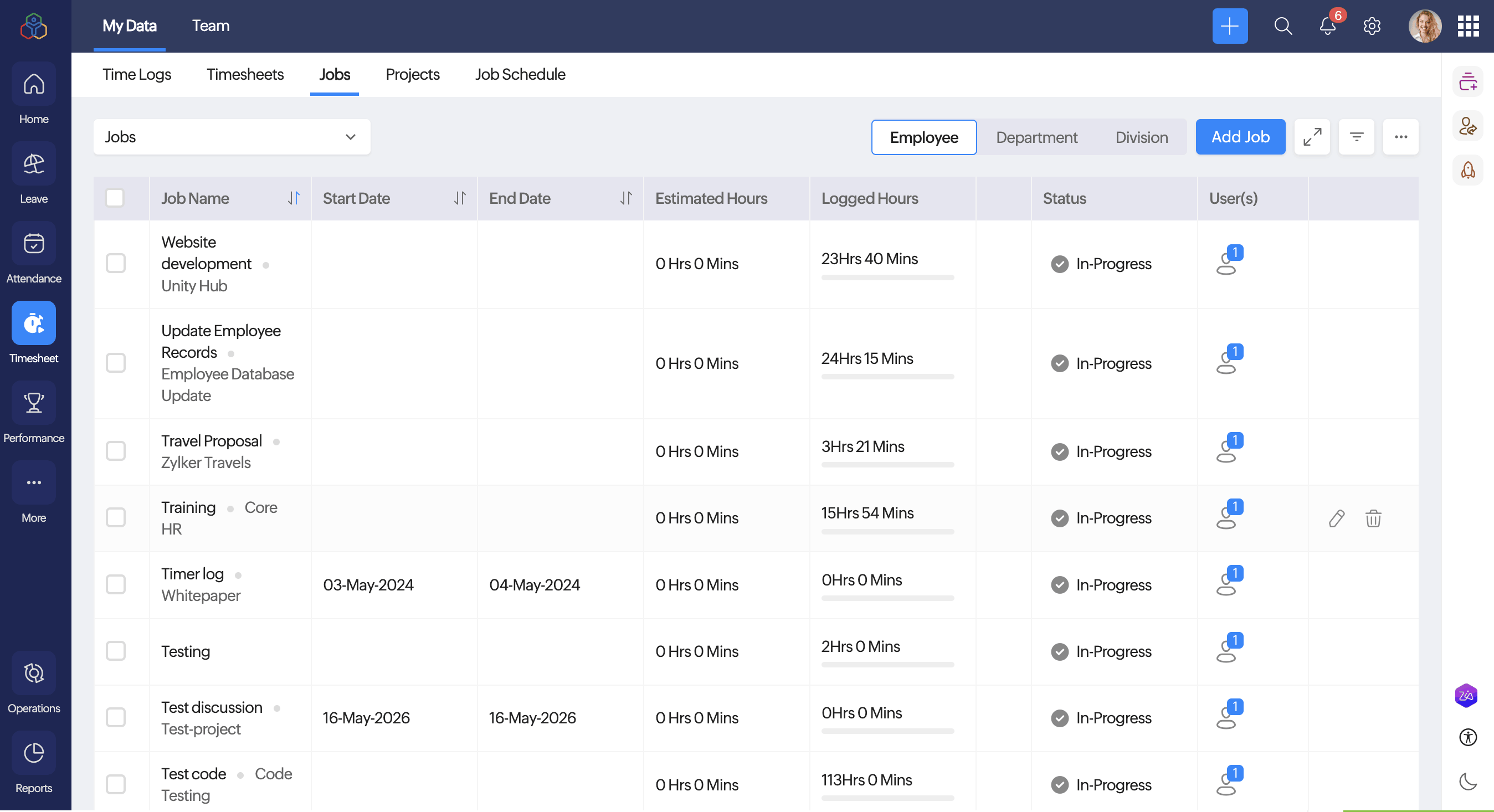
Zoho People includes a Timesheet service that allows employees to record the time they spend on jobs, projects, and tasks. Employees can log time manually or use a timer, organize their work against projects and clients, and submit timesheets for approval.
The Timesheet service also allows organizations to configure jobs, projects, clients, billing information, and work items. Managers can review and approve timesheets, while administrators can configure time-logging methods, permissions, restrictions, and policies.
Key features
- Time logging: Employees can record time manually or use a timer to track time spent on jobs.
- Project and job tracking: Employees can associate their time logs with specific projects, jobs, clients, and work items.
- Daily, weekly, and monthly logs: Employees can record their working hours using different time-log formats.
- Billable and non-billable hours: Time can be categorized based on whether it is billable to a client or project.
- Timesheet submission and approval: Employees can submit timesheets for review, while managers can approve or reject them.
- Calendar view: Employees can view and add time logs through a calendar-based interface.
- Job scheduling: Employees can view and manage their job schedules based on the permissions configured by the organization.
- Reports: Employees and administrators can access reports on time logs, jobs, projects, billable hours, and other time-related information.
- Mobile time tracking: Employees can log time and submit timesheets through the Zoho People mobile application.
Keka HR
Source: Keka
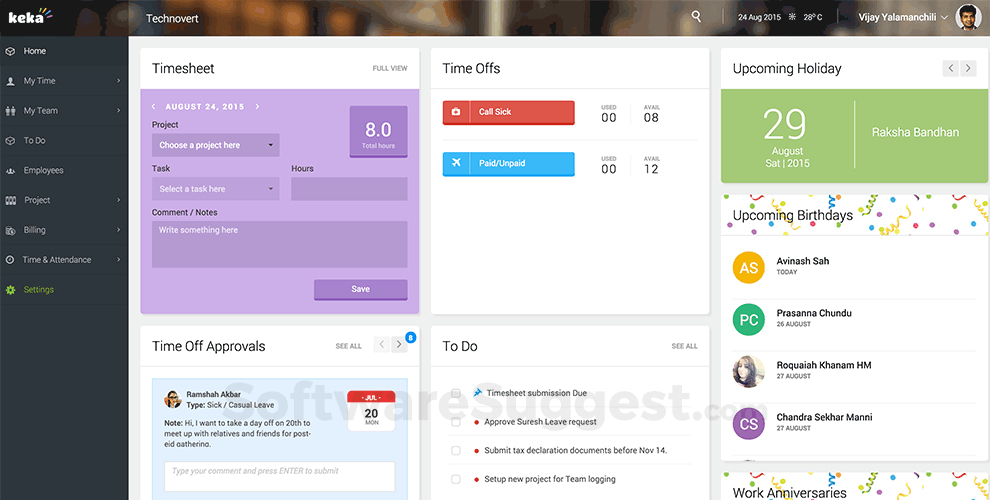
Keka HR provides timesheet and time-tracking capabilities for organizations that need to track employee hours against projects and tasks. Its timesheet software connects time tracking with approvals, project management, billing, and payroll workflows.
Employees can record time against tasks and projects, while organizations can configure policies and approval workflows around timesheet submissions. Keka also supports both billable and non-billable time tracking.
Key features
- Project time tracking: Track the time employees spend on specific projects and tasks.
- Billable and non-billable hours: Categorize time based on whether it is billable to a client.
- Task timer: Employees can use a start/stop timer to record time spent on tasks.
- Timesheet policies: Organizations can define time-tracking policies and rules at the resource level.
- Approval workflows: Configure approval chains for reviewing and approving submitted timesheets.
- Daily time entries: Employees can submit time entries on a daily basis for more consistent tracking.
- Timesheet activity: Track actions such as edits and approvals made to timesheet entries.
- Notifications and reminders: Send automated reminders for timesheet submissions and approvals.
- Attachments: Attach files and documents to tasks and time entries when additional context is required.
- Payroll and billing workflows: Approved timesheets can feed into payroll and billing processes.
Darwinbox
Source: Darwinbox
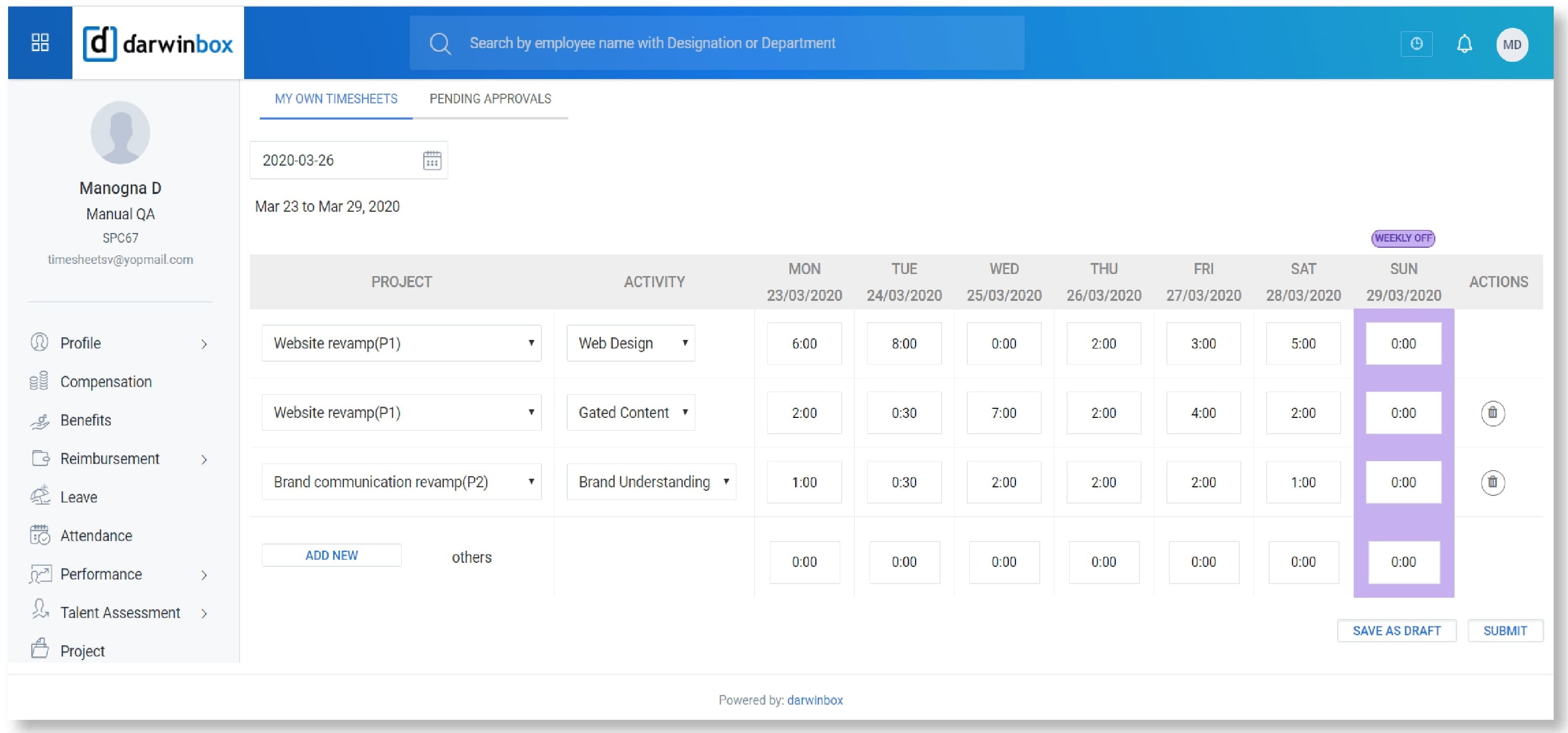
Darwinbox provides workforce management and time-related capabilities as part of its broader HCM platform. Organizations can use its time and attendance functionality to capture employee working hours and manage time-related processes.
Because Darwinbox offers different modules and configurations, the exact time-tracking capabilities available can depend on the organization's setup and the products included in its deployment.
Key features
- Employee time tracking: Capture employee working time through configured time-management processes.
- Attendance integration: Connect time-related information with broader attendance and workforce management processes.
- Time and attendance management: Manage employee attendance and working-time information from a centralized platform.
- Shift management: Support employee schedules and shift-based workforce management.
- Employee self-service: Give employees access to relevant time and attendance information.
- Manager visibility: Provide managers with access to employee time and attendance information based on their permissions.
- HR integration: Connect time-related information with other employee and HR processes.
For organizations evaluating Darwinbox for timesheet requirements, the specific time-entry, approval, and project-tracking capabilities should be checked against the modules included in their implementation.
Gusto
Source: Gusto
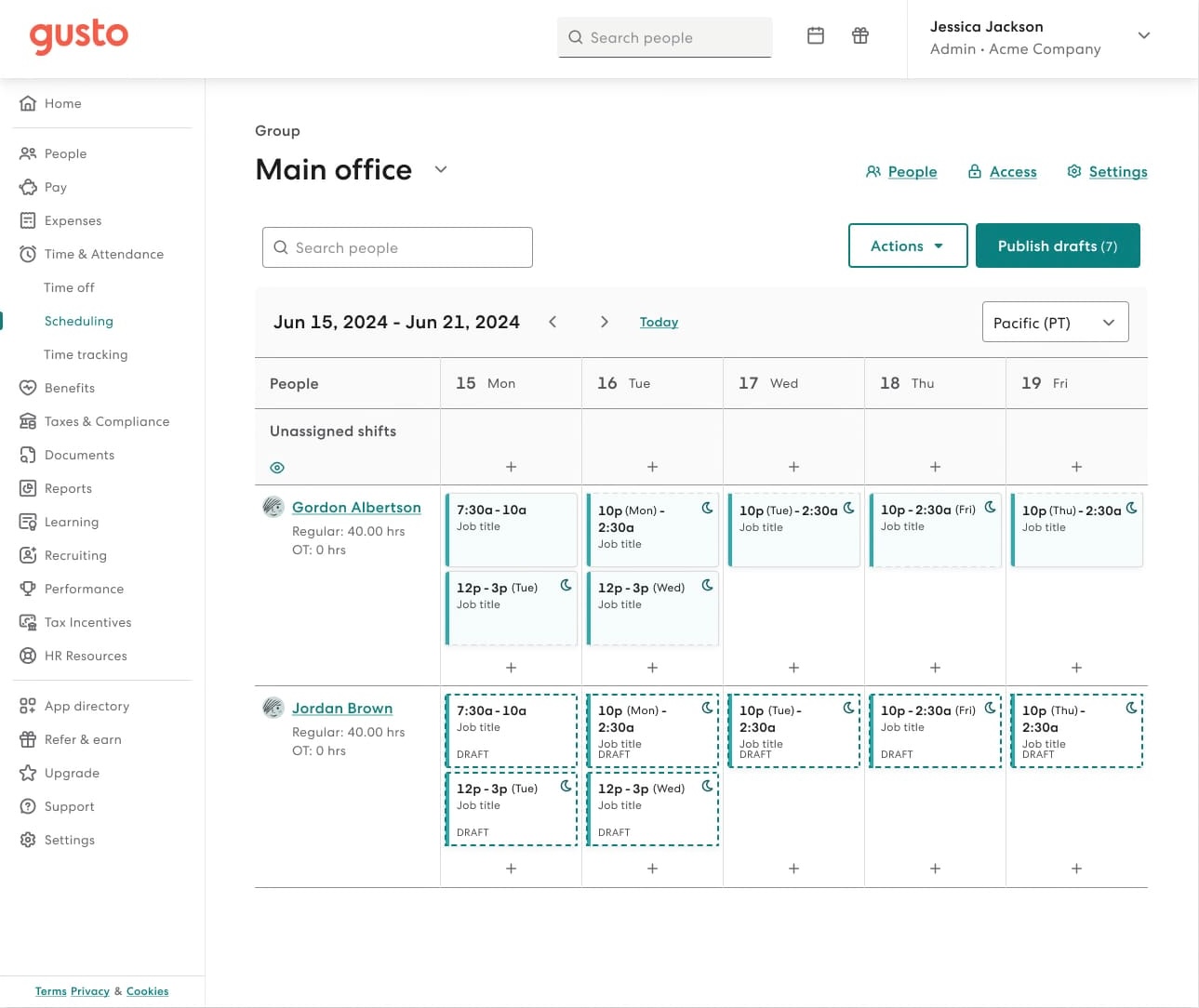
Gusto includes time tracking as part of its broader payroll and HR platform. Employees can track their working hours through the web, mobile app, or a time kiosk, while managers and administrators can review and approve employee hours.
Gusto also supports project-based time tracking. Employees can record hours against projects and tasks, and approved hours can automatically sync with payroll. Its scheduling functionality can also be used to generate employee timesheets from published shifts.
Key features
- Clock in and out: Employees can record their working time through the web, mobile app, or kiosk.
- Manual time entry: Employees can enter their start and end times manually when required.
- Project tracking: Track time against specific projects and tasks.
- Timesheet approvals: Managers and administrators can review and approve employee hours.
- Payroll integration: Approved hours can sync with payroll.
- Schedule-based timesheets: Published employee shifts can be used to automatically create timesheets at the end of a pay period.
- Overtime tracking: Gusto can calculate overtime based on tracked working hours for eligible employees.
- Location-based clocking: Administrators can require employees to share their location when clocking in or out.
- Timesheet history: Administrators can review previous timesheets and changes made to them.
Namely
Source: Namely
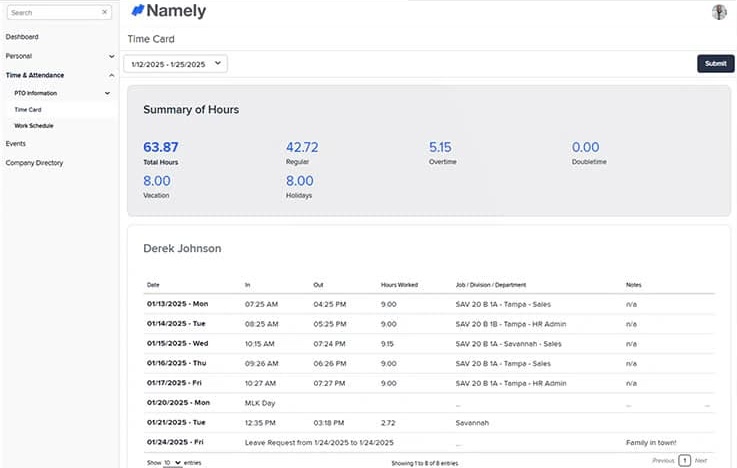
Namely offers time-tracking functionality as part of its HCM platform. Its current product information lists time tracking as a core capability and highlights features such as compliance and workforce management. Namely also offers Advanced Time as an enhanced module.
Key features
- Time tracking: Record employee working hours through the platform.
- Time and attendance: Manage employee time and attendance information alongside other HR data.
- Compliance support: Use time-tracking capabilities to support compliance requirements.
- Advanced Time: Extend time-management capabilities with additional functionality such as geofencing and shift differentials.
- Scheduling: Manage employee schedules alongside time and attendance.
- Employee access: Give employees access to their time-related information through the platform.
- Workforce management: Connect time, attendance, and scheduling processes within the broader HCM system.
Namely's time-tracking capabilities are part of its wider HR and workforce management ecosystem, allowing organizations to manage employee information, payroll, time, and other HR processes in one platform.
BambooHR
Source: BambooHR
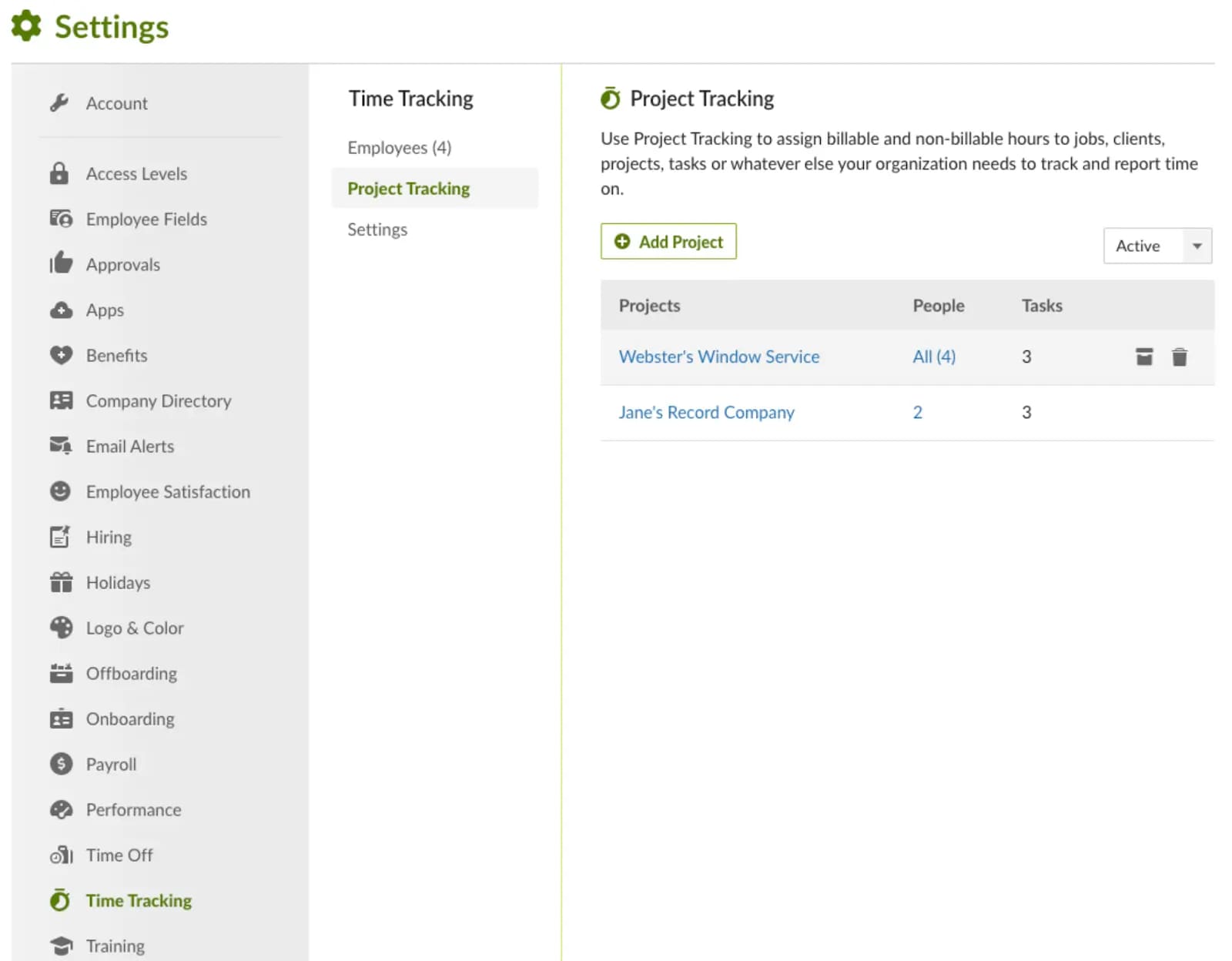
BambooHR provides time tracking as part of its Time and Attendance offering. Employees can track their hours, while managers can review and approve timesheets. The platform also supports project tracking and connects time data with payroll.
BambooHR's current Time and Attendance offering includes employee timesheets, project tracking, automated approval workflows, geolocation, overtime calculations, and payroll synchronization.
Key features
- Employee timesheets: Employees can record and submit their working hours.
- Project tracking: Track time spent across different projects.
- Approval workflows: Managers can review and approve employee timesheets.
- Automated reminders: Send reminders to employees and managers to complete or approve time entries.
- Overtime calculations: Automatically calculate overtime based on configured rules.
- Geolocation: Support location-based time tracking.
- Mobile and desktop tracking: Give employees multiple options for recording time.
- Payroll synchronization: Connect tracked hours with BambooHR Payroll.
- Time clocks: Support physical time-clock options for organizations that need them.
BambooHR has also expanded its time-management capabilities into scheduling, bringing employee schedules and time tracking together within its Time and Attendance offering.
ADP Workforce Now
Source: ADP workforce Now
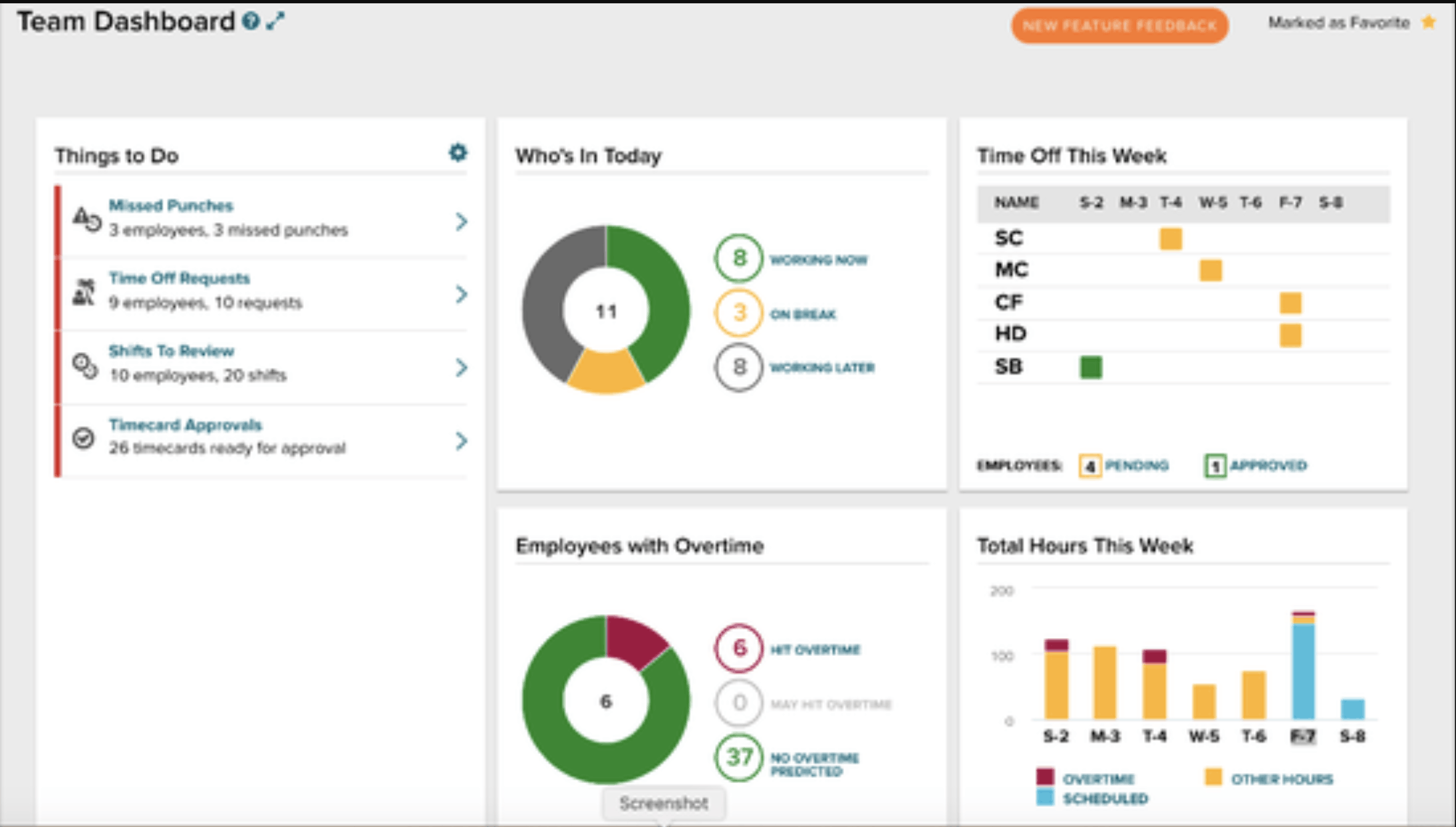
ADP Workforce Now provides time and attendance capabilities that can be added to the platform depending on the organization's selected package. ADP's current Workforce Now Premium package includes automated time tracking through Time and Attendance.
Employees can record time through web timesheets, mobile devices, shared time-clock devices, and other supported methods. Time can also be tracked against departments, locations, or jobs, and time information can flow into payroll.
Key features
- Employee time entry: Employees can record working hours through web timesheets, mobile devices, or time clocks.
- Clock-in and clock-out: Support multiple methods for capturing employee time.
- Job and department tracking: Track time across different jobs, departments, and locations.
- Break tracking: Capture meal breaks and other break information.
- Overtime tracking: Record overtime hours as part of time and attendance management.
- Timecard management: Give managers visibility into employee timecards and related information.
- Scheduling: Create and manage employee schedules alongside time tracking.
- Payroll integration: Connect time data with ADP payroll.
- Compliance tools: Use time and attendance tools to support applicable workplace and payroll requirements.
ADP also offers additional time-tracking products and integrations through the ADP Marketplace, so available capabilities can vary depending on the Time and Attendance solution selected.
Rippling
Source: Rippling
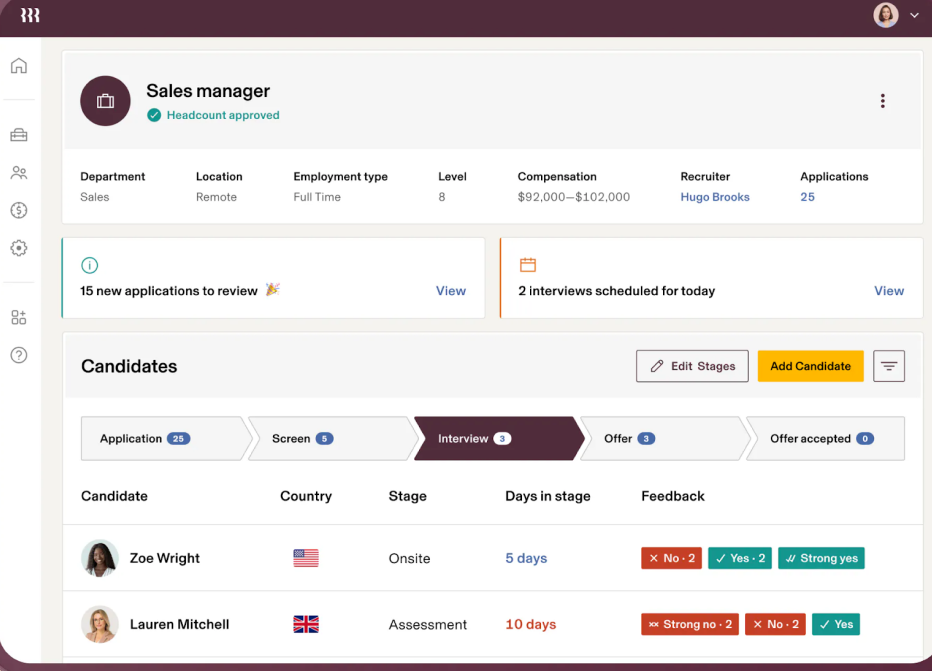
Rippling offers time and attendance software that connects employee time tracking with payroll, HR, scheduling, and workforce management. Employees can clock in and out, view timesheets, and track time against jobs, tasks, and projects.
The platform also supports automated workflows for time tracking, including reminders for unapproved timesheets and alerts for missed clock-ins or clock-outs.
Key features
- Time tracking: Employees can record working hours through supported time-entry methods.
- Job and project tracking: Track time across jobs, tasks, and projects.
- Mobile time tracking: Employees can clock in, request time off, and view timesheets through the mobile app.
- Flexible clock-in options: Support mobile, web, and physical time-tracking devices.
- Overtime and break alerts: Alert employees and managers about overtime or missed breaks.
- Automated approvals: Automate workflows related to timecard and timesheet approvals.
- Payroll integration: Approved time flows into payroll.
- Scheduling: Combine time tracking with employee scheduling.
- Reporting: Create reports and dashboards around labor costs, overtime, and other time-related information.
- Compliance policies: Apply configured time policies based on employee location and applicable requirements.
SAP SuccessFactors
Source: SAP SuccessFactor
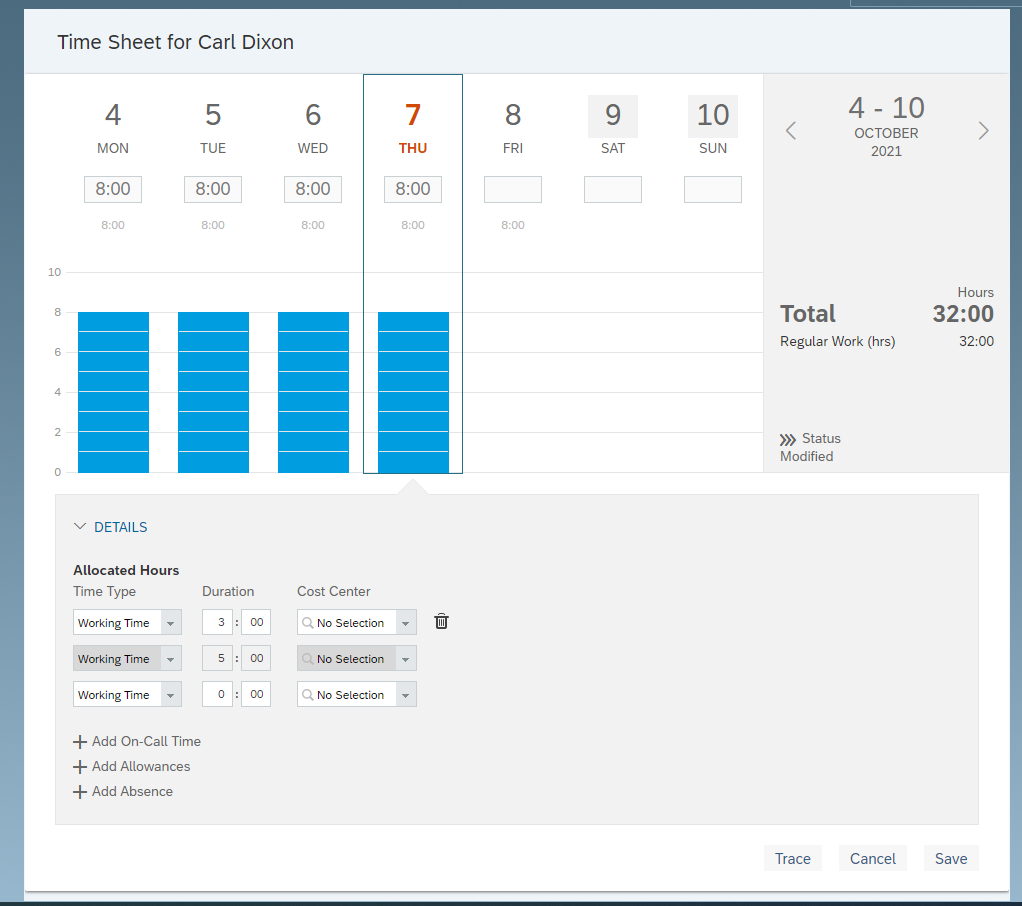
SAP SuccessFactors includes time tracking as part of its HCM capabilities. The solution is designed to capture and validate employee working time and connect time information with payroll and other workforce processes.
Employees can record working time through the platform, review their timesheets, and submit them for approval. SAP also supports mobile time recording and different time types, including working time and overtime.
Key features
- Employee time recording: Employees can record their working hours through the platform.
- Timesheet submission: Employees can review and submit recorded time for approval.
- Mobile time tracking: Employees can record working time through supported mobile workflows.
- Overtime tracking: Record working time and overtime as separate time types.
- Time validation: Validate time entries against configured rules and policies.
- Time-off integration: Connect working-time information with time-off processes.
- Time-sheet approval: Managers can review and approve submitted time.
- Payroll integration: Connect time information with payroll processes.
- Geofencing: SAP's current time tracking offering supports mobile clock-in and clock-out with geofencing.
Wrapping up
Employee timesheet software can help organizations replace manual time tracking with a more structured way of recording, reviewing, and managing working hours. Depending on the platform, employees can enter hours manually, use timers or clock-in methods, record time against projects and tasks, and submit timesheets for approval.
The right solution can also depend on what an organization needs to do with its time data. A company that tracks billable project hours may need project and task tracking, while an organization with hourly employees may place greater importance on clock-in methods, overtime calculations, scheduling, and payroll integration.
When evaluating employee timesheet software, organizations can consider features such as time-entry methods, project tracking, billable and non-billable hours, approval workflows, overtime calculations, mobile access, scheduling, reporting, payroll integration, and compliance capabilities.
Looking at these requirements alongside the organization's workforce structure and existing HR systems can help HR teams identify a timesheet solution that fits their day-to-day time-management processes.