- HOME
- Know Your Tech
- What is a workflow system and how does it work?
What is a workflow system and how does it work?
- Last Updated : March 24, 2026
- 532 Views
- 12 Min Read
Ever wondered how many hours your team spends each week just figuring out who needs to do what’s next? When tasks move through multiple people and departments, coordination becomes the real work.
Highlights
- Workflow systems automate task coordination by handling assignments, approvals, and notifications automatically based on rules you set.
- Sequential, parallel, and state-based workflows serve different process needs and business scenarios across your organization.
- Businesses reduce errors, speed up processes, improve accountability, and free up time for higher-value work through automation.
- Modern workflow systems connect with existing tools like CRM, ERP, and communication platforms for seamless operations.
- Common challenges, like adoption resistance, data migration, and process design issues need early attention for successful implementation.
A workflow system handles this coordination automatically, routing tasks to the right people and tracking progress, so your team can focus on completing work rather than managing handoffs.
In this blog post, we'll explain exactly what a workflow system is, how it works, and why it's a must-have for businesses that want to grow without the chaos. Whether you're running a startup or leading operations at an enterprise level, this is your roadmap to better, smarter, and faster work.
What is a workflow system?
A workflow system is software that manages how tasks move through your business. It assigns work to the right people, tracks progress, and triggers next steps automatically based on rules you define.
The system acts as a coordination layer for your processes. When someone submits an expense report, the system sends it to their manager. Once approved, it moves to finance for payment and accounting for recording. The workflow system handles each handoff without anyone sending emails or wondering what happens next.
These systems work across different business functions. You can use them for customer onboarding, invoice processing, support ticket routing, or any process with multiple steps and people involved.
Types of workflow systems
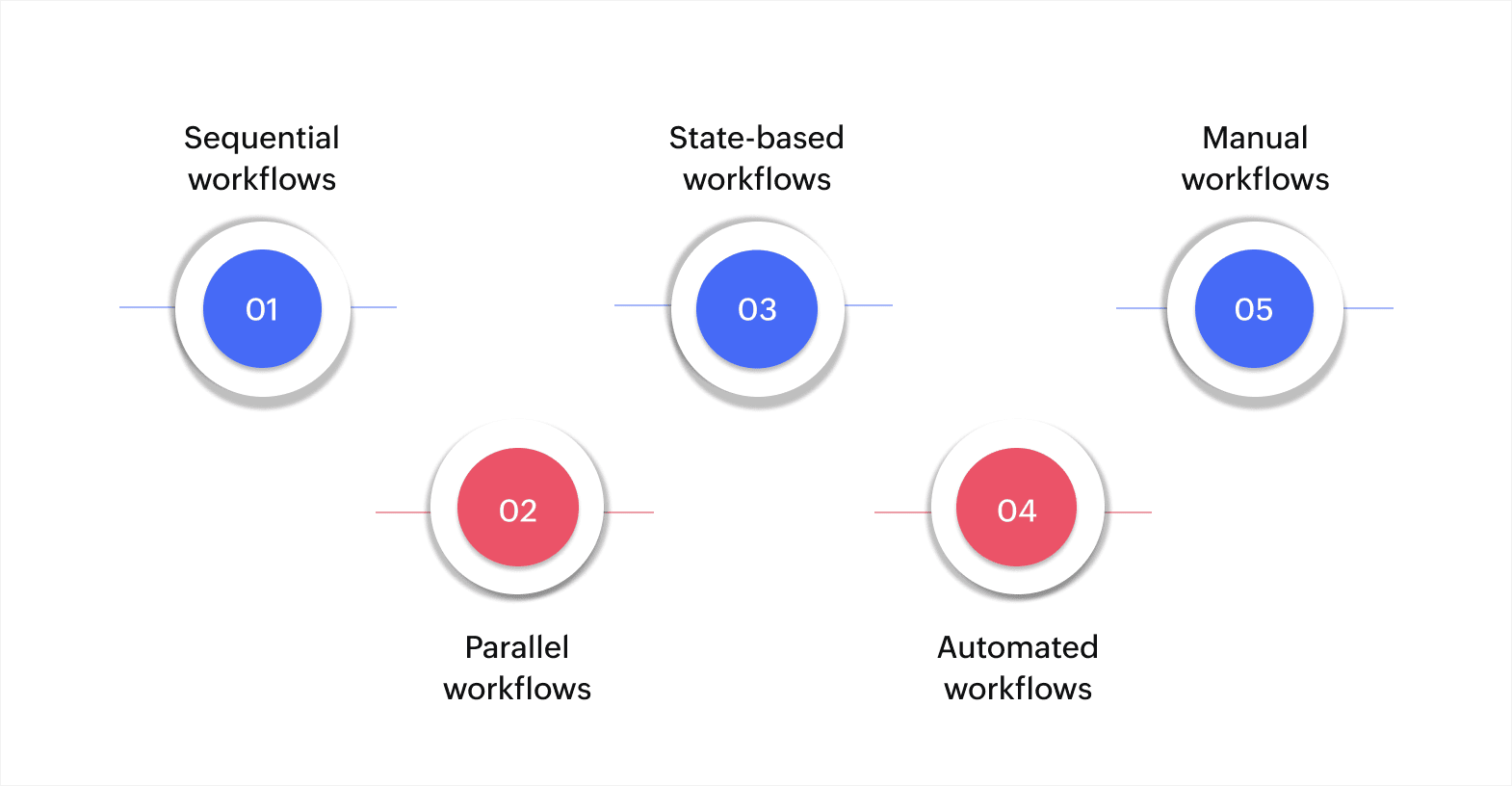
The global workflow management system market is expected to expand significantly, growing from $17.11B USD in 2024 to $307.64B USD by 2034, with a CAGR of 33.5%. This fast growth is driven by the increasing need for businesses to automate their processes and reduce manual input. Below are the technical categorizations of workflow systems, each serving a distinct function in different business environments:
Sequential workflows
In this case, tasks follow a fixed order, where each step must finish before the next one starts. This works well when processes have clear dependencies and regulatory requirements.
For instance, a purchase order approval moves from the department head to the finance director to the CEO. Each person reviews it in sequence, and no one can skip ahead. Manufacturing quality checks follow this pattern too, where inspection happens only after assembly completes.
Parallel workflows
For these workflows, multiple tasks run at the same time because they don't depend on each other. This speeds up processes when different teams can work independently.
For instance, when hiring someone, HR processes background checks while IT sets up system access and facilities arrange workspace. All three tasks happen simultaneously, cutting the total onboarding time. Marketing campaigns work this way too, with content creation, design work, and campaign setup running in parallel.
State-based workflows
In state-based workflows, tasks progress through different stages based on conditions and decision points. The workflow adapts depending on what happens at each stage.
For instance, a support ticket starts in the new status, moves to in progress when assigned, changes to waiting if more information is needed, and ends at resolved or escalated based on the outcome. Customer orders follow similar patterns, moving between pending, confirmed, shipped, and delivered states.
Automated workflows
For workflows like this, the system handles repetitive tasks without human intervention. You set the rules once, and the workflow runs automatically whenever triggered.
For instance, when a form submission comes in, the system creates a database record, sends confirmation to the customer, notifies the team, and adds the task to the project board. Inventory management works this way, too, with automatic reorder alerts when stock drops below set levels.
Manual workflows
In manual workflows, people drive the process while the system tracks what happens. This works for tasks that need human judgment and decision-making.
For instance, creative reviews require actual evaluation, not just routing. The system tracks who reviewed what and when, but people make the approval decisions.
How workflow systems operate
Workflow systems connect several components to make automation work. Knowing these pieces helps you see how tasks move through your business automatically.
Here's how the main components work together:
- Triggers: An event kicks off the workflow, like a form submission, date arrival, or button click that tells the system to start processing.
- Logic layer: Conditions and rules determine what happens next based on if-then scenarios that route work appropriately.
- Task assignment: Role-based routing directs work to the right person based on job function, department, or availability automatically.
- Data flow: Information entered at one stage becomes available at the next without manual transfer between steps.
- Integration: Connections to other tools through APIs update related systems like CRM, accounting software, or communication platforms.
For instance, a customer service workflow operates this way: A support ticket arrives (trigger), the system checks the issue type (logic), assigns it to the right specialist (routing), includes all customer history (data flow), and logs the interaction in your help desk software (integration). Each component works together to move tasks forward without manual coordination.
Having explored the various types of workflow systems and how they work, it's important to understand how these systems directly benefit your business operations.
The benefits of using a workflow system
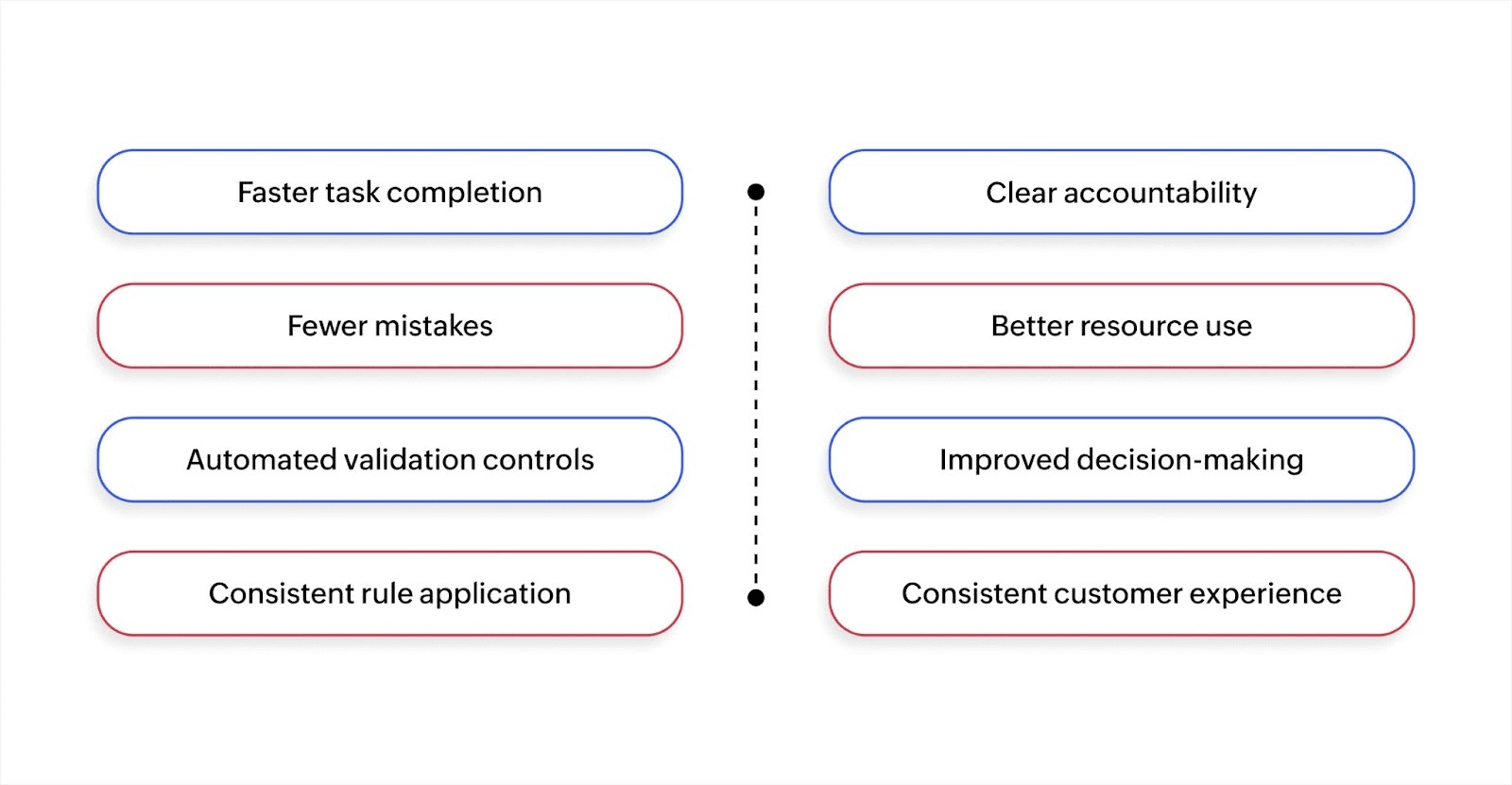
The workflow automation market was valued at $14.99B USD in 2024 and is expected to grow to 71.03B USD by 2031, with a CAGR of 23.68%. This growth highlights the increasing importance of workflow systems for businesses. Here are the key benefits:
Faster task completion
Work moves forward immediately when the steps are completed. No one waits for someone to remember to send the next handoff. Tasks that took days can finish in hours when approval chains and notifications happen automatically.
Fewer mistakes
The system enforces process rules and required fields. Missing information gets caught before tasks move forward. Duplicate work stops because everyone sees what's already done. Compliance requirements are met because the workflow includes mandatory steps.
Automated validation controls
Rule engines validate data quality and format requirements before tasks move forward. Required fields, data types, and business constraints get checked automatically at each step. Invalid entries get flagged immediately, preventing bad data from entering your workflows.
Consistent rule application
Business logic applies uniformly across all workflow instances without manual oversight. Approval thresholds, escalation paths, and compliance requirements execute the same way every time. This consistency removes subjective decisions and ensures policy adherence.
Clear accountability
Everyone knows what they need to do and when. Task assignments appear automatically, deadlines are visible, and managers can see where work stands without asking. When bottlenecks happen, you spot them quickly because the system shows which step is taking too long.
Better resource use
Employees stop spending time on coordination and follow-up. They focus on actual work instead of checking their email for status updates. Management gets accurate workload visibility for better capacity planning.
Improved decision-making
Real-time data shows process performance. You see completion rates, cycle times, and bottlenecks without manual reporting. This information helps you identify improvements and allocate resources where they matter most.
Consistent customer experience
Every customer request follows the same process. Response times become predictable, and service quality stays steady because the workflow ensures proper steps happen every time.
With these benefits in mind, it's clear that implementing a workflow system can significantly enhance your business operations. However, like any system, there are common challenges that you might face when adopting or managing workflow automation. Let's take a look at these challenges and how to overcome them effectively.
Common challenges with workflow systems
While workflow systems can greatly enhance efficiency, businesses often face some common obstacles that hinder their full potential. Identifying and handling these issues ensures smooth operations and maximizes the benefits of automation.
Resistance to change
People prefer familiar processes, even when they're inefficient. Team members worry automation will eliminate their jobs or make work less flexible. Address this early by involving users in workflow design and showing how automation removes tedious tasks, not meaningful work.
Poor process design
Automating a broken process just makes problems happen faster. Before building workflows, map current processes, identify inefficiencies, and redesign for how work should flow. Get input from people who do the work daily.
System silos
Workflows that don't connect to other tools create data gaps and duplicate entries. Choose systems with strong integration capabilities or use platforms that already connect your existing software. API access and prebuilt connectors matter for this reason.
Lack of user adoption
Complex interfaces and unclear benefits lead to workarounds and abandoned workflows. Keep workflows simple, provide training, and show clear value to users. Monitor usage and gather feedback to improve adoption.
Data migration problems
Moving existing data into new workflow systems takes planning. Bad data quality, inconsistent formats, and missing information cause implementation delays. Clean and standardize data before migration, and validate thoroughly after transfer.
Inadequate rule definition
Vague process rules create workflow gaps. The system needs specific conditions for routing, escalation, and exceptions. Document detailed business rules before configuration and test edge cases.
Insufficient validation and error checking
Workflows that don't validate inputs lead to downstream problems. Build in data validation, mandatory fields, and approval requirements at appropriate steps. Add error notifications so issues get flagged immediately.
By recognizing and addressing these common challenges, you can ensure that your workflow system remains efficient and effective, maximizing its potential to improve business performance.
How are workflow systems built?
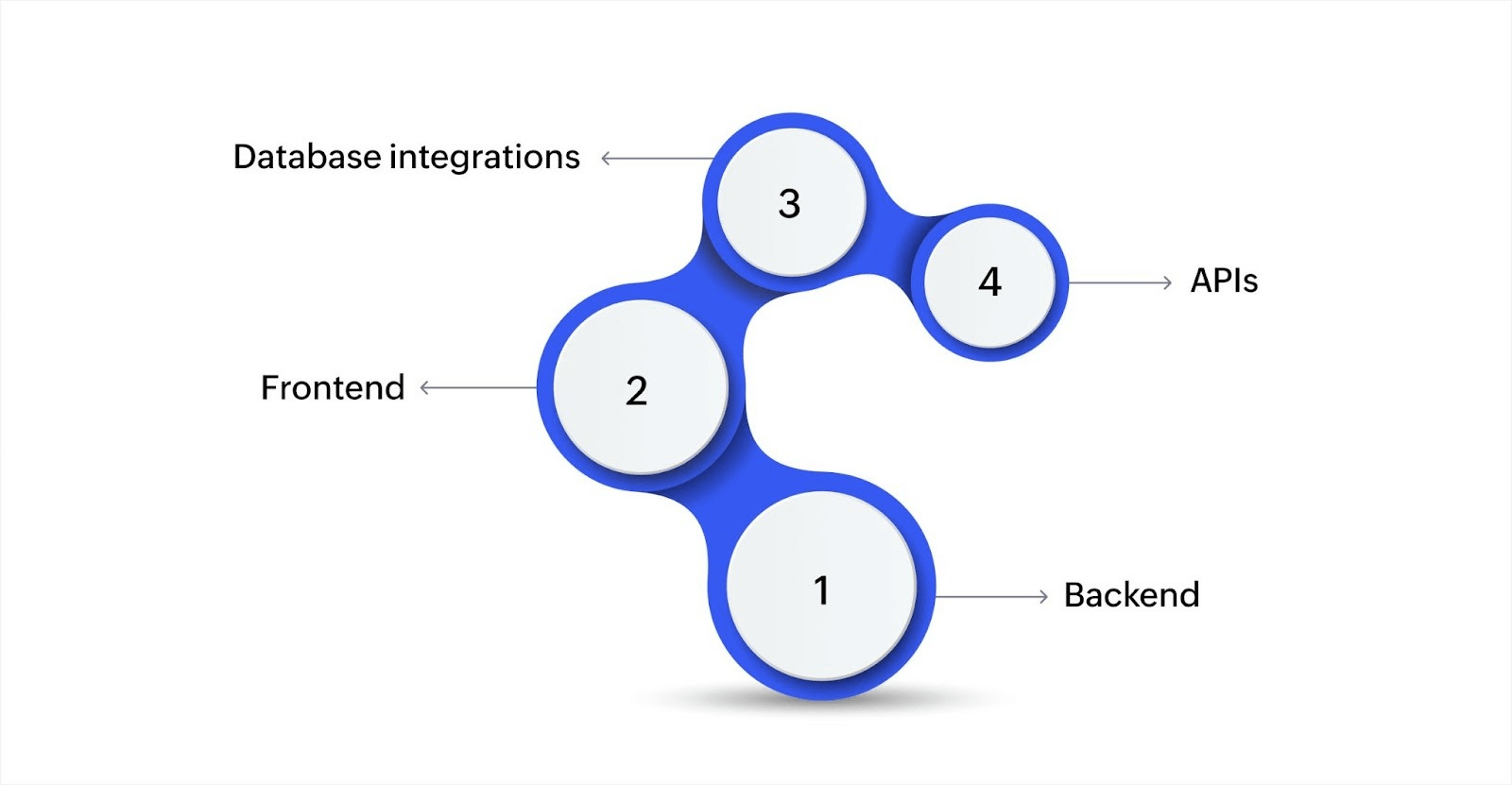
A workflow system is composed of various technical components that work together to ensure automation and smooth execution of tasks. These components are integrated in such a way that data flows smoothly across different stages of a process.
- Backend: The backend processes and manages task rules, coordinates with other systems, and ensures smooth data exchange and automatic actions.
- Frontend: This is the user-friendly interface where team members can create, view, and track tasks, enhancing usability and reducing confusion.
- Database integrations: Workflow systems rely on databases to store, retrieve, and process data, updating records in real time as tasks are completed.
- APIs: APIs allow the workflow system to integrate with other systems (e.g., ERP, CRM) for smooth data exchange and expanded functionality.
Workflow systems integrate the backend, frontend, database, and APIs to automate processes and ensure smooth task execution, boosting overall efficiency. This smooth integration enhances productivity and simplifies business operations.
Key components of a workflow system
Every workflow system relies on core elements that handle automation and task management. Here's what makes these systems work:
- Process engine: Executes workflow rules and manages task progression from start to finish based on defined logic
- Task manager: Assigns work items, tracks status, and sends notifications when action is needed or deadlines approach
- Data repository: Stores process information, transaction records, and historical data for reporting and auditing purposes
- User interface: Provides dashboards, forms, and views where people interact with workflows and complete assigned tasks
- Integration layer: Connects external systems through APIs for data exchange and coordinated actions across platforms
- Rules engine: Evaluates conditions, triggers automated actions, and handles exceptions based on business logic you configure
For instance, when processing an expense claim, the process engine moves it through approval stages, the task manager assigns it to reviewers, the data repository stores receipts and amounts, the interface shows managers what needs approval, integration updates accounting software, and the rules engine applies spending limits and approval requirements.
How to choose the right workflow system for your business
Selecting the right workflow system is a critical decision that requires careful consideration of various technical aspects. Here's what you need to keep in mind when choosing a system:
Can it grow with your business?
Your workflow needs will change as you expand. Look for systems that handle increasing transaction volumes, more users, and additional complexity without performance drops. For instance, a retail company processing 100 orders daily might need capacity for 10,000 orders within two years as they scale operations across new regions.
Does it match your process requirements?
Generic templates rarely fit unique business needs. Evaluate how much you can customize workflows, forms, and logic without writing code. For instance, a consulting firm billing clients based on project milestones needs flexible invoice generation tied to task completion, not standard monthly billing cycles.
What infrastructure does it need?
Decide between cloud-based systems offering quick deployment and remote access, or on-premises solutions providing more control over data and security. For instance, healthcare providers handling patient data might require on-premises deployment to meet strict regulatory requirements, while a distributed sales team benefits more from cloud accessibility.
How secure and compliant is it?
Verify the system meets industry standards relevant to your business, whether GDPR for customer data or SOC 2 for SaaS companies. For instance, financial services firms need audit trails showing who accessed what data and when, with encryption for data at rest and in transit.
What does implementation actually cost?
Look beyond subscription fees to include setup costs, training time, integration work, and ongoing maintenance. For instance, a manufacturing company might save money with a higher-priced system that includes prebuilt ERP integration rather than a cheaper option requiring custom development work.
Choosing the right workflow system is key to enhancing efficiency and scalability. As technology continues to evolve, it's important to also consider emerging trends that will shape the future of workflow systems and drive business success.
Key trends in workflow systems
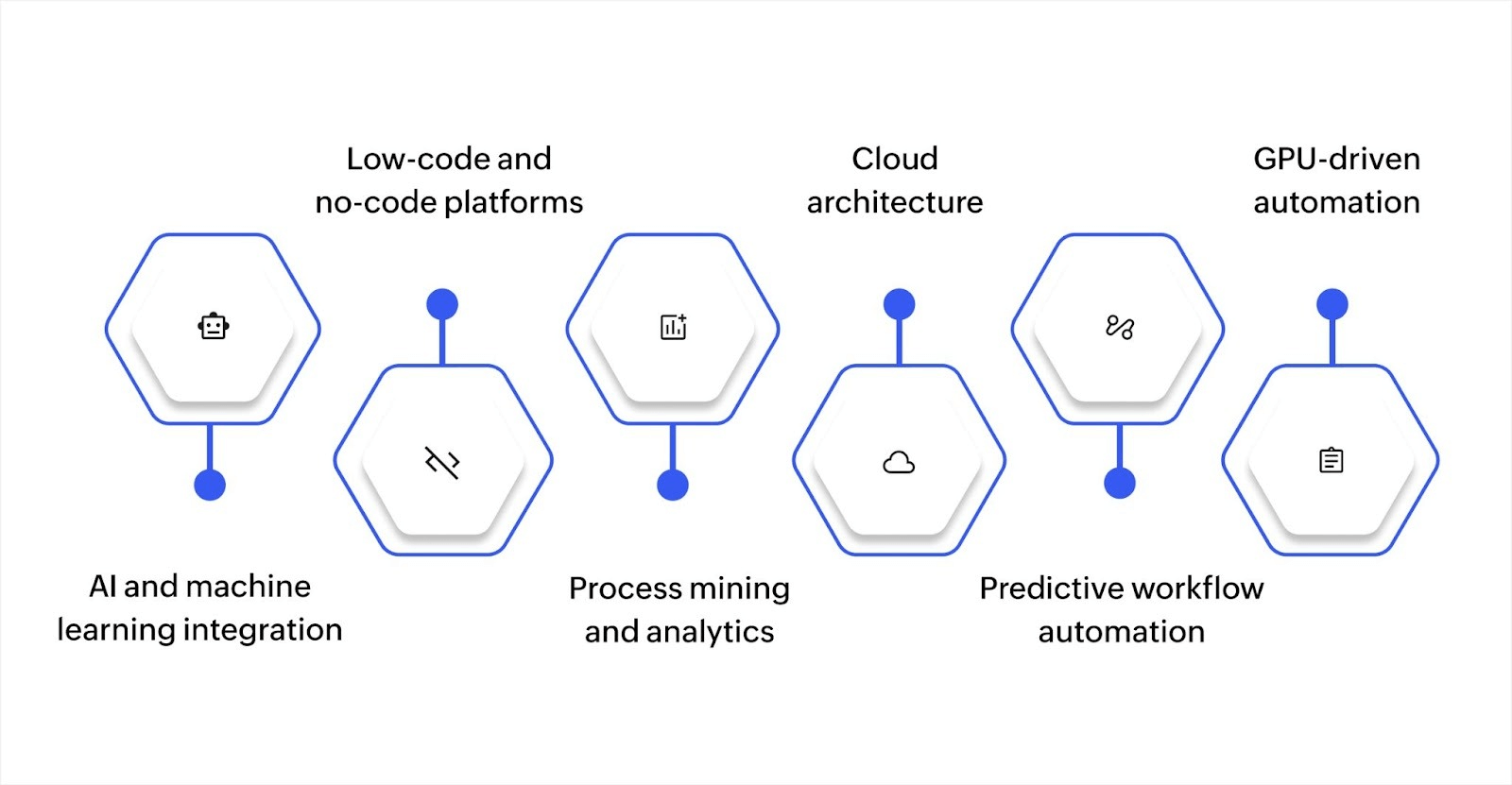
As workflow systems continue to evolve, new technologies are reshaping how businesses approach automation and process optimization. Here are some key trends to watch:
AI and machine learning integration
Intelligent systems predict bottlenecks before they happen, suggest optimal task routing based on historical patterns, and automate decision-making for routine scenarios. Your workflows become smarter over time, catching problems before they impact operations. Manual adjustments decrease as the system learns what works best.
Low-code and no-code platforms
Low-code platforms with visual builders let business users create workflows without technical skills or IT department involvement. Teams can build and adjust workflows in days instead of waiting months for IT resources. This puts process control in the hands of people who know the work best.
Process mining and analytics
Systems analyze how work actually flows through your organization, identify inefficiencies, and recommend improvements based on real data. You stop guessing what slows processes down. Concrete evidence shows where automation delivers the biggest impact on your operations.
Cloud architecture
Modern workflow systems run entirely in the cloud with automatic scaling, built-in redundancy, and access from anywhere. Distributed teams collaborate on processes seamlessly, regardless of location. Infrastructure costs drop while capacity adjusts automatically during peak periods.
Predictive workflow automation
Advanced systems forecast resource needs, predict task completion times, and adjust workflow priorities based on business conditions. Proactive automation prevents problems rather than just reacting to them. Service levels improve while you use resources more efficiently.
GPU-driven automation
GPU-accelerated systems process complex workflows and large datasets significantly faster than traditional computing. Tasks like data analysis, video processing, and simulations that once took hours now complete in minutes. Organizations handling high-volume operations or data-intensive workflows gain substantial speed advantages for real-time processing.
Transform your business operations with workflow automation
Throughout this guide, we’ve looked at what a workflow system is and how it can improve your business operations. A workflow system helps automate tasks, ensuring that processes are organized, errors are minimized, and tasks are completed efficiently. This leads to time savings, fewer mistakes, and smoother operations across your team.
Zoho Creator provides a straightforward solution for businesses aiming to manage their workflows more effectively. With this low-code platform, you can easily design custom workflows for your specific needs—no coding experience required. The visual builder makes it simple to automate tasks, from approval routing to data processing, ensuring everything runs on time.
Additionally, with features like the AI assistant, Zia, and real-time updates, Zoho Creator ensures your team stays on top of crucial tasks.
Start your 15-day free trial and see how quickly you can automate your first workflow.
FAQ
How long does it take to implement a workflow system in a business?
The time it takes to implement a workflow system can vary depending on the complexity of the business processes and the system chosen. Simple workflows may be implemented within days, while more complex systems could take weeks or months.
What are the costs associated with implementing a workflow system?
The costs can vary significantly depending on whether the system is cloud-based or on-premises, the scale of automation required, and the complexity of customization. Additional costs may include training, integrations, and ongoing maintenance.
Can a workflow system integrate with legacy systems?
Many workflow systems are designed to integrate with legacy systems, though this may require additional custom development or middleware. The ability to integrate with existing software is a key consideration when choosing a workflow solution.
What are the common challenges when adopting a workflow system?
Common challenges include resistance to change from employees, the complexity of migrating data from older systems, ensuring proper training, and achieving full automation without creating gaps in the process.
 Ann Elizabeth Sam
Hey! I'm Ann, and I work as a content writer at Zoho Creator. I'm exploring the SaaS world through various forms of content creation. Outside of work, I love dancing and would give up anything to read a good murder mystery.